 Keyphore
Make the signals yours.
Choose a color, brightness, and steady or slow-flashing light for each state. Completion stays on for 5 seconds by default, adjustable from 1–60 seconds.
Lives in your menu bar. Lights up your keyboard.
Working, needs your input, or just finished.
See it at a glance, without switching windows.
Apple Silicon · macOS 13+ · USB
Air65 V3 / Air75 V3 (ANSI) have been tested over USB. Other listed models are expected to work with the same settings; compatibility still awaits hands-on testing.
Codex is working. Carry on with what you were doing.
Pick a state to try the lights. Set your own colors, brightness, and slow flashing in the app.
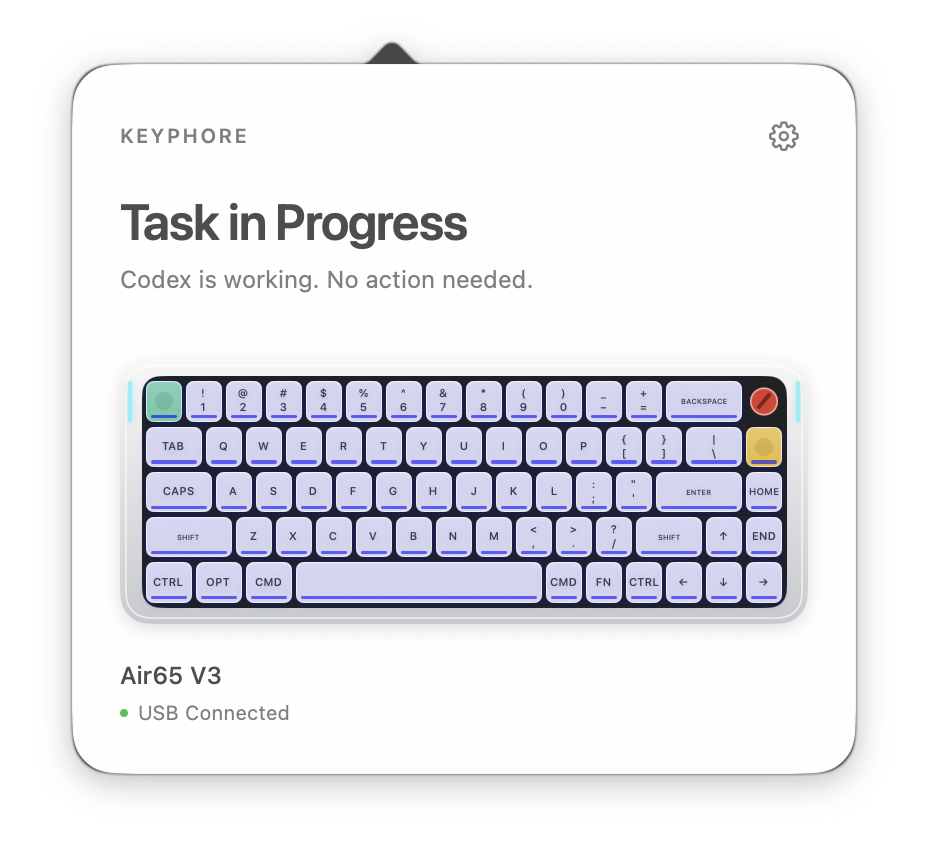
Choose a color, brightness, and steady or slow-flashing light for each state. Completion stays on for 5 seconds by default, adjustable from 1–60 seconds.
No Keyphore account or automatic telemetry uploads. Only necessary task-event fields are handled—not prompts, conversations, or tool content.